Last reviewed 1 November 2026. Updated each August.
If your Black Friday and Christmas stock won’t fit in the spare room, you don’t need a warehouse lease to hold it. Take a storage unit for your base stock, add space in stages as stock actually arrives, keep room for returns, and let the extra space go in January. Our minimum stay is two weeks and storage is billed every four weeks, so you pay for the weeks you use rather than the years a lease would hold you to.
This guide covers how to size it, how to stage it, how deliveries and packing work at a unit, and how to wind down cleanly in the new year.
Why storage rather than a lease, for a seasonal peak
A commercial lease is a long commitment with rent, rates and fit-out attached, and a seasonal peak is a short one. If your extra stock is a few months’ problem, paying for space all year to solve it means carrying empty square footage through spring.
A storage unit works the other way round. You keep a footprint that fits your quiet months, take more for the busy ones, and give notice on the extra when it’s done. Notice is normally 14 days, and once you’ve moved out and we’ve checked the unit, we refund any days you’ve paid for but won’t use.
A lease starts to make more sense when your stock stays high all year, when you need staff working on site every day, or when customers or couriers need a staffed address. A unit is a store you work from, not a shop or an office. Our business storage page explains how units work for stock.
Step 1: Work out your peak in space, not SKUs

Start from last year’s busiest weeks, then adjust for this year’s growth and any promotions you’re planning. Your platform’s sales reports are the place to start.
Then turn the answer into floor space, because that’s what you’re renting:
- Boxed stock: stack it on freestanding shelving and measure the shelving footprint, plus room to walk and pick.
- Pallets: as a rough guide, a standard 1.2m x 1m pallet takes up about 13 sq ft of floor, so about three pallets fit in a 50 sq ft unit and about six in 100 sq ft, leaving room to move. Our pallet FAQ has the detail.
- Headroom: leave space for stock arriving early, a supplier over-delivering, or a line that sells faster than you planned.
If you’re not sure what size that adds up to, call us with your numbers and we’ll help you choose.
Step 2: Book a base unit, then add space as stock arrives
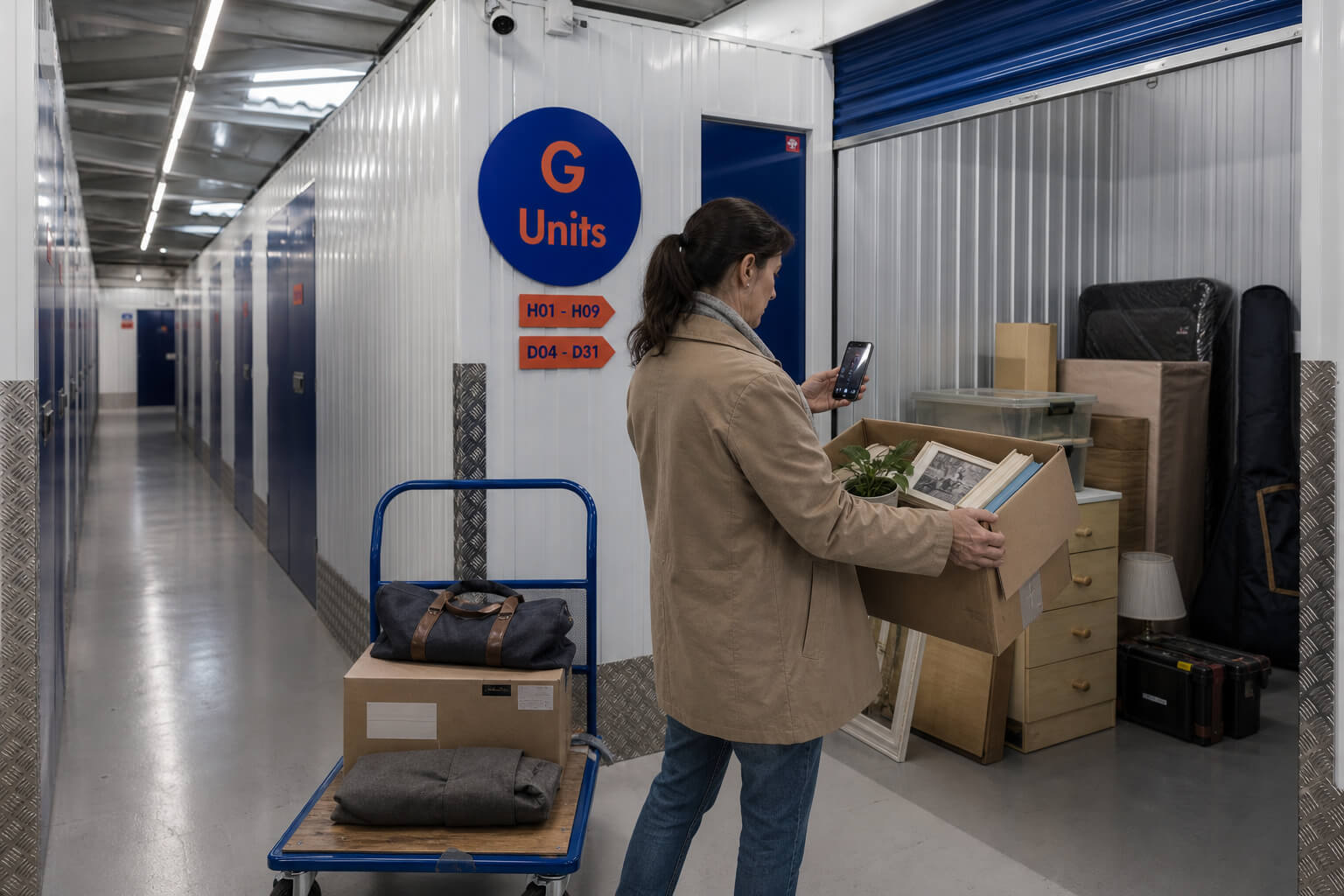
Booking your peak size on day one means paying for empty space before the stock exists. A staged plan avoids that:
- Base unit: enough for your current stock plus a modest buffer.
- First decision point: as the Black Friday stock lands, add space if it’s arriving as forecast.
- Second decision point: before Christmas dispatch peaks, add again if inbound stock or returns are running ahead of plan.
Write down in advance what level of stock triggers each step, so the decision is already made when the pallet arrives. Adding a unit depends on availability at your site, so tell us your plan early and we’ll tell you what’s possible. Keeping your units at one site is far simpler than picking orders across two towns.
Step 3: Set the units up to pick fast

- Fast sellers nearest the door. A small share of your lines often makes up most of your picks, so put those where you reach them first.
- Bulk stock behind or in the second unit, topped up into the picking area as it runs down.
- A returns area in the overflow space, so returned items don’t get mixed back into stock before they’re checked.
- Shelving, a folding table and your packing materials within reach. Heavier stock low, labels on every shelf.
You can pick and pack your own orders at your unit, coming and going as often as you like, normally between 6am and 10pm, seven days a week. Our units don’t have power sockets, so bring a charged laptop or phone, and take chargers and power banks home after each visit, because they can’t be kept in a unit. Packed parcels stay inside your unit, so the shared corridors stay clear. Our FAQ on packing orders in your unit covers the rest.
Step 4: Plan deliveries you can meet

We can’t sign for or take in deliveries on your behalf, so every inbound delivery needs someone from your business there to meet it.
- Book delivery slots within access hours, for times you or a team member will be on site. A regular weekly slot is easier to staff than ad hoc drops.
- Pallets: there’s no forklift on site, so ask the haulier for a tail-lift and a pallet truck, and ask us whether your site has a pallet truck you can use.
- Check before you sign. Note any damage on the driver’s paperwork while they’re still there.
- Outbound parcels: take them to a post office or drop-off point yourself. If you’d like a courier to collect from the site, call us first to check it works at yours.
- Your address. A unit can’t be your returns, sender or business address, so use your home or a mail service on labels and listings. Our FAQ on using a unit as a business address has options.
Step 5: Give your seasonal packer their own access

You can share access to your unit through smart entry, for a set period or with no end date. A temporary packer uses their own phone, so you never hand over a key or a code. Set an end date that matches their contract, so their access stops when their work does. At Chipping Norton, which uses padlocks and PINs, access is shared by giving the person the keys and access codes instead. Our sharing access FAQ explains how.
At sites including Reading, Cheltenham and Lincoln, our security systems also log each time a unit is accessed. If you need that record for your business or your insurer, ask us.
Step 6: Keep space for returns

Returns from Black Friday orders and Christmas gifts arrive while you’re still sending stock out. If every shelf is full of outbound stock, there’s nowhere to sort them. Hold back some space from the start of the season, and check returns as they come in: sellable stock back to its shelf, damaged items set aside for write-off or disposal. A little and often stops a January pile-up.
Step 7: Raise your cover for the peak

Your stock needs contents cover while it’s stored, either our contents protection or your own business insurance if it covers stock in a self storage unit. Cover is based on the value you declare: what it would cost you to replace your stock today. If the value you declare is lower than the true value, a claim is paid in proportion, so a figure set for your quiet months could leave a gap in December. Before the busy season, call us and we’ll talk you through raising it. Our FAQ on whether contents protection covers business stock explains how it works.
Each unit has its own alarm, set when you lock up, and our sites are watched by CCTV monitored around the clock by a professional monitoring company.
Step 8: Wind down in January
- Clear the returns first. Restock what’s sellable and deal with what isn’t.
- Decide your spring footprint. What does the quiet season actually need?
- Give notice on the extra space. Notice is normally 14 days, given by email with the date you’d like to leave; our notice FAQ shows how to count it.
- Clear and leave the unit. Once you’ve moved out and we’ve checked it, we refund any days you’ve paid for but won’t use.
- Reset your cover to your spring stock value.
What you can’t store
A few products can’t go into a unit for fire safety, which matters for beauty, home fragrance and craft sellers: aerosols and other compressed gases, anything flammable, and power banks among them. Check before the stock is ordered, not when it arrives. Our FAQ on flammable stock has the detail.
Checklist
- Peak worked out in floor space, with headroom
- Base unit booked; decision points and triggers written down
- Shelving, table and packing materials in place
- Delivery slots booked for times someone can meet them
- Packer’s access shared with an end date
- Space held back for returns
- Declared stock value raised for the peak
- No aerosols, flammables or power banks in the stock going in
- January: returns cleared, notice given, cover reset
To plan your peak, get a price online or call us on 0800 2545585 and tell us what’s coming.
Related questions